


MyChart
4.4125.59K Reviews
App Specs
- Version
- 11.9.3
- Updated On
- License
- Free
- Downloads
- 10,000,000+
- Developer
- Epic Systems Corporation
- Categories
- Medical
- Platform
- Android, iOS
Screenshots
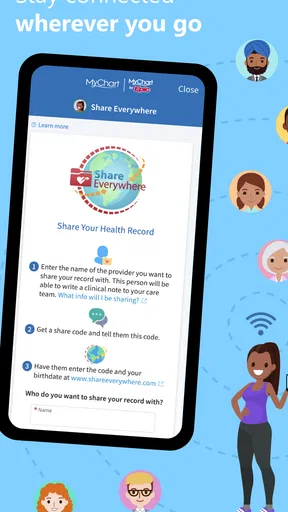
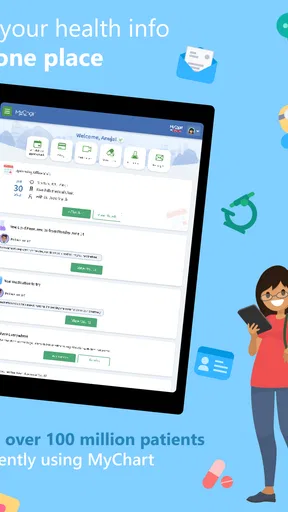
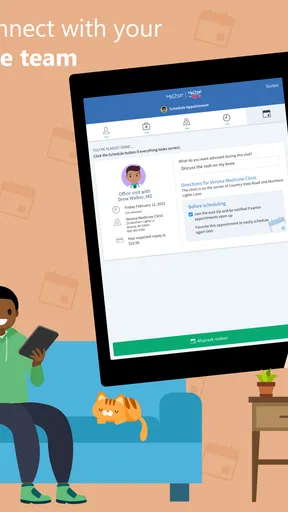
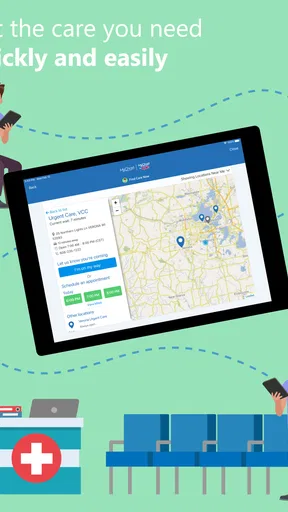
 Analysis by AppCompare
For me, the appeal of MyChart is practical rather than flashy: it can make routine healthcare easier to keep track of by bringing parts of a patient’s care into one place. It is a free medical app from Epic Systems Corporation, and its value depends heavily on whether your healthcare provider uses it and what they make available through it. I would think of it as a companion to care, not a replacement for a clinician, a pharmacy, or urgent help.
Free to use, with value tied to your provider
There is no purchase price to weigh up here: MyChart is free. That makes it easy to try if your provider supports it, though “free” does not mean it can connect you to every clinic or show every part of your health history. The practical value comes from the information and services your own healthcare organization makes accessible after you connect your account.
That distinction matters before you rely on the app. If your clinic is not available to connect, or if it only uses a limited set of its functions, the app may offer less convenience than you expect. I’d check whether your provider supports MyChart and ask which tasks it handles—such as appointments, records, or messages—before making it the center of your routine.
What the convenience looks like in daily life
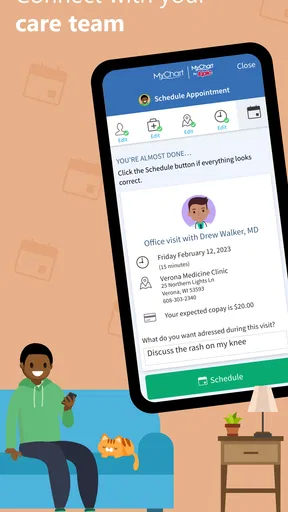
A realistic use is preparing for a follow-up visit. Before leaving home, I could look over the appointment information and check the records that are available in the app, rather than relying on memory alone. If a question comes up afterward, messaging the care team may be more straightforward than trying to find the right phone number. The benefit is not that the app makes a medical decision for me; it helps me keep the details of care organized enough to ask better questions.
It can also help when a family member is coordinating several appointments or trying to remember what to raise at the next visit. I’d use the time before an appointment to note uncertainties and review the relevant information, then discuss anything important with the clinician. That is a more useful approach than treating a notification or a result on a screen as a diagnosis.
Where it fits among healthcare options
Compared with calling a clinic for every administrative question, a patient portal can reduce some back-and-forth when the relevant task is available in the app. Compared with keeping notes in a general-purpose health tracker, MyChart is more directly connected to a participating provider’s care workflow. But those tools serve different purposes: a personal tracker may be better for habits or information you record yourself, while a provider portal is useful for accessing the care-related details the organization shares.
I would not assume the app replaces phone calls. A message is suited to a non-urgent question that can wait for a reply; for a time-sensitive concern, I would contact the provider through the appropriate direct channel. For an emergency, use emergency services rather than waiting for an app response. This simple distinction keeps the convenience of messaging from becoming a risky substitute for timely care.
Worth Reading Before You Choose

Baby Panda World Brings Quick Play to Modern Phones, but Its Game Library Feels Busy

ESPN’s Live Game View Makes Following Close Games Easier

QuizzLand Review: A Good Fit for Short Trivia Breaks, Not Every Player

Basketball Stars: Multiplayer Is Fast, but Can It Recover When Matches Go Wrong?

WEBTOON Turns Phone Updates Into a Better Reading Routine

Link to Windows Runs on Shared Habits, Not Social Feeds
Small habits that make it more useful
One helpful habit is to check the appointment details before the day of a visit, not while rushing out the door. That gives me time to spot a scheduling issue and prepare questions. Another is to read a result in context: if something is unclear, I would ask the healthcare team what it means for my situation instead of drawing a conclusion from a number alone.
I’d also treat notifications as prompts, not as a complete system for managing care. A reminder can be useful, but it is still sensible to keep track of important appointments in whatever calendar or routine I already rely on. If I help coordinate care for someone else, I would first confirm what access and account arrangements the provider supports, rather than sharing my own login. Keeping accounts distinct is a better starting point for privacy and clear responsibility.
Who is likely to get the most from it
The app makes the most sense for someone whose healthcare provider actively uses it and who wants a convenient way to review available care information or contact the team about routine matters. It may be especially helpful for people who have recurring appointments, several details to remember, or a preference for checking information on a phone instead of making an administrative call.
It is less compelling if your provider does not support it, if you prefer to handle every interaction by phone, or if you need immediate medical advice. It is also not the right tool for replacing a clinician’s explanation or keeping a complete independent medical record. In those cases, a direct call, a conversation at the appointment, or a separate personal record-keeping method may be more appropriate.
MyChart is widely used, with an average rating of 4.5 from around 255,000 ratings and more than 10 million installs. It is rated for Everyone, and its current version is 11.6.3 for devices running Android 11 or later. Those figures suggest it is an established option, but they do not guarantee that every provider offers the same experience or that every user will find it equally convenient.
My overall view is that the strongest reason to install it is a clear one: your provider uses it, and you want easier access to the parts of your care they make available. The main trade-off is that its usefulness depends on that connection, while messages and reminders still require sensible judgment. If those limits suit your needs, the free access makes it a reasonable companion to your healthcare routine.
Ever found yourself in the doctor's office, trying to recall the exact date of your last visit or the dosage of your latest prescription? Well, that's where MyChart swoops in to save the day. I’ve been exploring this app, and let me tell you, it’s a game-changer for keeping tabs on your health records.
Navigating the World of MyChart
First things first, the setup was surprisingly simple. After downloading the app, I linked it to my healthcare provider. It felt like I was opening a portal to my health history with just a few taps. The interface is clean and intuitive, making it easy to find what you need without getting lost in a sea of medical jargon.
A Personal Health Assistant
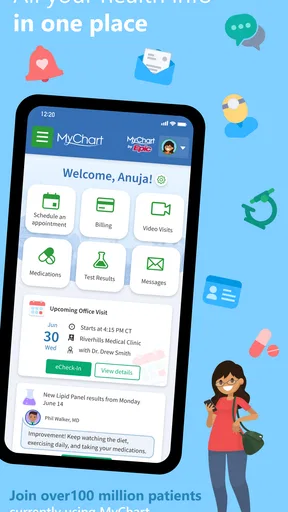
I can't emphasize enough how convenient it is to have all your medical info in one place. Need to check a past appointment or upcoming schedule? It's right there. Want to see your lab results the moment they’re available? You got it. The app sends notifications for upcoming appointments and prescription refills, which is super handy if you’re as forgetful as I am.
Communication Made Easy
One of the standout features is the messaging system. You can directly contact your healthcare team, ask questions, or clarify doubts. It’s like having a direct line to your doctor without the hassle of waiting rooms and phone trees. Plus, the response times were pretty snappy, at least in my experience.
Security and Privacy
Now, I know what you're thinking—how safe is all of this sensitive information? MyChart takes privacy seriously with multiple layers of security, including password protection and encryption. It's reassuring to know that my health data is kept under lock and key.
But, as with any app, there’s a learning curve. If you’re not tech-savvy, you might need a little time to explore all the features. However, once you get the hang of it, it’s smooth sailing from there.
Final Thoughts
In a world where everything is going digital, having an app like MyChart makes managing healthcare less of a chore and more of a breeze. Whether you're a frequent flyer at the doctor's office or just want a better way to keep track of your health, this app is worth a shot. So, why not give it a try and see how it fits into your healthcare routine?
Pros
- User-friendly interface for easy navigation.
- Secure messaging with healthcare providers.
- Access to test results and medical history.
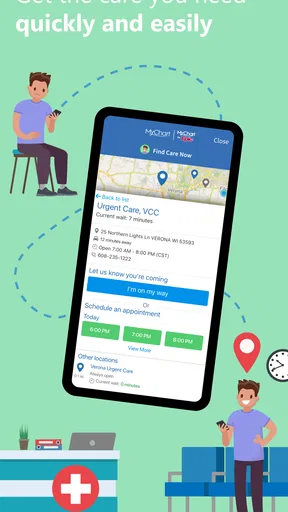
- Appointment scheduling and reminders.
- Integration with wearable health devices.
Cons
- Limited features for non-participating providers.
- Occasional sync issues with external devices.
- Some features require internet connection.
- Limited customization of notification settings.
- May require frequent updates for new features.
FAQs for MyChart
What is MyChart and what can I use it for?
MyChart is a comprehensive health management application that allows users to access their medical records, schedule appointments, and communicate with healthcare providers. It provides a secure platform to view test results, manage medications, and track health progress. This app is ideal for patients wanting to stay informed and actively involved in their healthcare journey.
How secure is my personal information on MyChart?
MyChart prioritizes user privacy and employs robust security measures to protect personal and medical data. It uses encryption and secure logins to ensure unauthorized access is prevented. Users are encouraged to create strong passwords and utilize two-factor authentication for added security, ensuring their sensitive information remains safe.
Can I manage multiple family members' health information on MyChart?
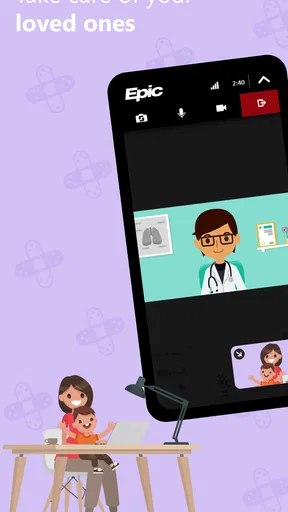
Yes, MyChart offers proxy access, allowing users to manage health information for family members. This is particularly useful for parents managing their children’s health records or caregivers overseeing elderly family members. Proxy access requires permission and ensures that each family member’s data is handled securely and appropriately.
Is MyChart compatible with all healthcare providers?
MyChart is widely used by numerous healthcare organizations, but not all providers may support it. Users should check with their healthcare provider to verify if MyChart is available for their medical records. The app continues to expand its network, aiming to integrate more providers for comprehensive healthcare management.
Are there any costs associated with using MyChart?
MyChart is generally offered free of charge to patients by participating healthcare providers. However, specific features or services may incur charges based on the healthcare provider’s policies. It's advisable for users to confirm any potential costs directly with their provider to avoid unexpected fees.


